The 2026 AI Agent Sandbox Showdown: Daytona, Boat, Islo, Modal, Fly.io, and Runloop Compared
A deep comparison of AI agent sandbox providers in 2026: Daytona, Boat, Islo, Modal, Fly.io, and Runloop on microVM isolation, living environments, cold starts, and pricing.
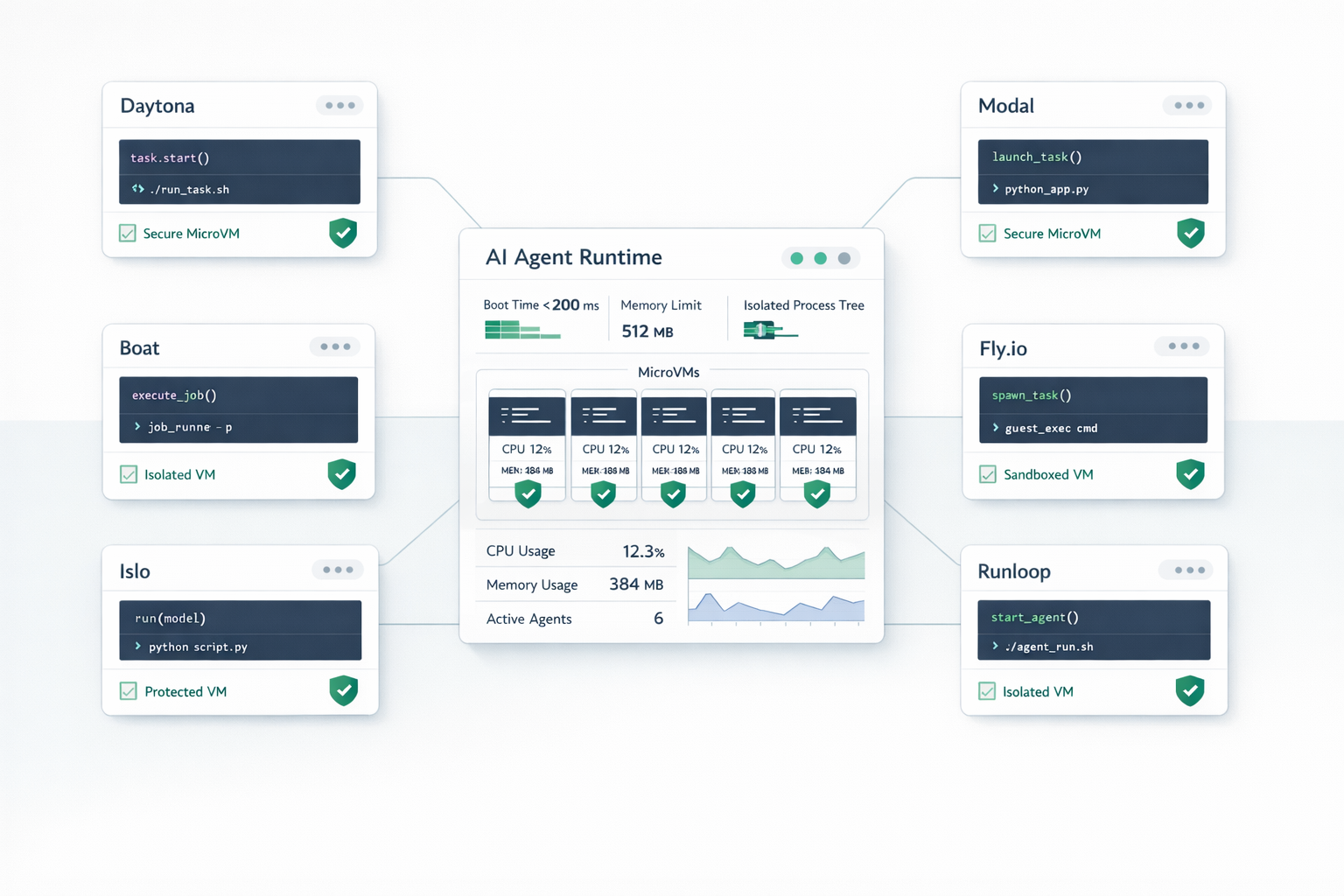
The 2026 AI Agent Sandbox Showdown: Daytona, Boat, Islo, Modal, Fly.io, and Runloop Compared
Author: Ana, Product Manager at Vicaro
Slug: ai-agent-sandbox-providers-compared-2026
Description: A deep architectural comparison of AI agent sandbox providers in 2026. How Daytona, Boat, Islo, Modal, Fly.io, and Runloop differ on microVM isolation, full VMs, living environments, cold-start latency, token flood defenses, and pricing.
Giving an AI agent a shell is the single fastest way to turn a conversational bot into an actual colleague. Once an agent can run Python scripts, compile TypeScript, query SQLite databases, call REST APIs, and inspect files, its capability jumps tenfold.
It is also the fastest way to compromise your cloud infrastructure.
When you give an LLM an open execution environment, you are effectively handing root access to a probabilistic engine that frequently hallucinates recursive commands, downloads untrusted third-party packages, and occasionally tries to read /etc/shadow. If that agent runs on a shared Docker socket or directly inside your application cluster, you are one malicious prompt injection away from a total host compromise.
Over the past year, the developer ecosystem recognized this problem. A new category of infrastructure emerged: specialized AI agent sandboxes. These platforms offer disposable, isolated, programmatic runtimes designed specifically for LLM tool calling.
However, not all sandboxes are created equal. Some run Firecracker microVMs that boot in 700 milliseconds. Others provide full bare-metal Ubuntu virtual machines with native Docker daemons. Some run gVisor containers optimized for massive GPU training pipelines. Some charge for every second the machine stays alive, while others pause automatically when the agent stops executing code.
Over the past few weeks, the technical debate on X (formerly Twitter) between sandbox founders and agent practitioners exploded. From debates on whether boot time is a vanity metric to discussions about stateful "living environments" versus stateless functions, the community is hashing out real production lessons in public.
At Vicaro, our autonomous AI employees execute thousands of sandbox commands every day. We have benchmarked, tested, and stressed these runtimes under heavy production traffic.
Here is an honest, architectural comparison of the top AI agent sandbox providers in 2026, including an engineering breakdown of their security boundaries, cold starts, persistence models, pricing traps, and the hard-learned lessons shared by developers in the field.
What Developers on X Are Arguing About: Five Community Field Insights
Before diving into vendor specs, it helps to understand what engineers building real agent systems are actually debating on X. The marketing pages all promise sub-second boots and infinite scale, but the discussions on developer timelines reveal the real friction points.
1. The Boot Time Vanity Metric vs Real-World I/O
A lot of sandbox providers market sub-50ms or sub-10ms cold boots. But as Anicet Nougaret (@AniC_dev), founder of Boat, pointed out on X, chasing 4ms versus 500ms boot times is often a vanity metric.
Once your agent is actually doing real work, the bottleneck is almost never the initial VM creation. It is disk I/O, package installation speed, network egress bandwidth, and CPU throughput under sustained multi-thread compilation. A sandbox that boots in 10ms but throttles network downloads or crawls when compiling a TypeScript project will slow down your agent far more than a full virtual machine with dedicated hardware-allocated compute.
2. The Architectural Split: "Agent IN Sandbox" vs "Agent OUTSIDE Sandbox"
Harrison Chase (creator of LangChain) outlined a fundamental design divide that defines modern agent setups:
- Pattern 1 (Agent Outside the Sandbox): The agent orchestrator runs on your own backend server or local machine. It connects to the sandbox over an HTTP or gRPC API, using it as an external tool to execute one-off Python scripts, run bash commands, or inspect outputs. This is how platforms like Modal are typically used.
- Pattern 2 (Agent Inside the Sandbox): The agent itself (such as Claude Code, Cursor CLI, or Codex) actually lives and runs inside the sandbox environment. The sandbox is not just a command runner, it is the agent's full computer, complete with pre-installed developer tools, git keys, local file trees, and environment variables. This is the model championed by platforms like Daytona, Boat, and Islo.
Pattern 1 is simpler for quick calculator tools and data science notebooks. Pattern 2 is essential for autonomous coding agents that need to run unattended for hours across complex git repositories.
3. The Statelessness Trap and the Rise of "Living Environments"
One of the most shared practitioner complaints on X came from Dan Farrelly: "A sandbox is stateless, ephemeral, has no real persistence, no sequencing, no recovery, and no retries."
First-generation agent sandboxes treated execution environments like serverless cloud functions: spin up, run code, destroy. But autonomous coding agents do not work like serverless functions. They clone a 2GB repository, spend five minutes running npm install and compiling native dependencies, and then iterate on code across dozens of turns.
Tearing down the sandbox between turns forces the agent to re-clone and re-install dependencies repeatedly, destroying both speed and budget. This pain point gave rise to long-lived developer workspaces (like Daytona and Fly Sprites), persistent cloud VMs (like Boat), and "Living Environments" (like Islo), where the sandbox stays paused or snapshot-backed when idle, retains disk state, and resumes automatically the instant new work arrives.
4. Vision and Computer-Use Latency Traps
As agents transition from text-only tool calling to GUI "computer use" (driving browsers, clicking buttons, and reading desktop screens), sandbox roundtrip latency becomes critical.
Practitioners on X like Ashton Chew shared benchmarks highlighting this gap. In heavy vision-based loops, sluggish screenshot captures and mouse-event dispatch in certain sandbox platforms consumed up to 48 seconds across a task, compared to sub-second execution on platforms with optimized display pipelines and hot connection pools. If your agent is doing visual UI testing or web automation, display streaming latency matters as much as raw compute.
5. Telemetry and Post-Mortem Observability
When an agent goes off the rails in the middle of the night, how do you debug what happened?
On X, builders have pushed hard for first-class sandbox observability. Modern platforms stream VM metrics (CPU, RAM, disk I/O, network events) directly into OpenTelemetry collectors. Crucially, platforms like Islo retain process stdio logs for days even after the VM is stopped, allowing engineers to inspect the exact bash output that triggered an agent hallucination without having to keep expensive compute instances alive.
The Four Core Architectural Tradeoffs
Underneath the community debates, every sandbox provider is built on four fundamental engineering choices.
1. The Isolation Boundary: Docker vs gVisor vs MicroVMs vs Full VMs
There are four primary ways cloud providers isolate untrusted code:
- Plain Linux Containers (Docker / cgroups): Fast and lightweight, but fundamentally dangerous for untrusted execution. Containers share the host Linux kernel. If an agent executes code that exploits a known Linux kernel vulnerability, it can escape to the host node. Plain containers are fine for internal developer tools, but they are not a secure multi-tenant boundary.
- Userspace Syscall Interception (gVisor): Developed by Google, gVisor acts as a guest kernel running in userspace. It intercepts and implements application system calls, isolating the guest from the host Linux kernel. It is significantly safer than plain Docker and boots quickly, but system call-heavy operations (like compiling large codebases or heavy file system traversal) suffer a performance hit.
- Hardware Virtualization (Firecracker & KVM MicroVMs): MicroVMs use hardware-assisted virtualization (Linux KVM) to boot a minimal, purpose-built virtual machine with its own isolated kernel in a few hundred milliseconds. MicroVMs provide true hardware-level isolation. An exploit inside the sandbox stays trapped inside the guest kernel.
- Full Bare-Metal Linux VMs (KVM / QEMU): Provides a complete Ubuntu virtual machine with full init system (systemd), background daemons, cron, and native Docker-in-Docker support. While microVMs strip down device emulation for sub-second boots, full VMs give agents a complete, unconstrained Linux operating system that behaves exactly like a developer workstation.
2. Cold Starts and the Pause-Resume Game
An agent cannot wait twenty seconds for a virtual machine to boot every time it wants to run ls -la.
Sandbox startup latency falls into two categories:
- Cold start: Booting a brand new environment from a container image or base template. Modern microVMs achieve this in 700ms to 1.5 seconds, while full VMs use disk snapshot forking to spin up in 1 to 2 seconds.
- Warm resume (Snapshot restoration): Pausing a running sandbox, dumping its memory state or disk tree, and restoring it later. Snapshot restoration can bring an agent workspace back to life in 25ms to 200ms, preserving running processes and open shell sessions.
3. State and Persistence: Stateless vs Snapshots vs NVMe Disks vs VM Forking
Different agent tasks require fundamentally different storage architectures:
- Stateless / Ephemeral: The sandbox boots, executes a 10-line Python snippet to compute a formula or generate a chart, returns the output, and is instantly destroyed.
- RAM / Memory Snapshots: The file system and memory state are serialized when idle. If the agent needs to run a follow-up command five minutes later, the sandbox wakes up exactly where it left off.
- Persistent Attached Volumes: A dedicated NVMe block device stays mounted across agent sessions. Dependencies like
node_modulesor a 5GB git repository remain on disk without needing re-downloading or re-indexing. - Fast Disk-Level VM Forking: Taking an immediate copy-on-write snapshot of a complete virtual machine disk. When an agent spins up a sub-agent or starts a new branch task, it forks the existing machine state instantly without copying gigabytes of files.
4. The "Thinking Time" Tax: Wall-Clock vs Active CPU Billing
This is the biggest hidden cost in agent architectures.
When an AI agent works on a complex task, it might execute a shell command that takes 300 milliseconds. Then it sends the output back to an LLM. The LLM spends 25 seconds reasoning, streaming tokens, and deciding the next step.
If your sandbox provider bills by wall-clock duration, you are paying for compute during those 25 seconds while the virtual machine sits completely idle. If your provider bills by active CPU time (or automatically pauses compute while preserving disk), you only pay for the fraction of a second of actual computation. For interactive, multi-turn agents, this distinction can change your monthly infrastructure bill by an order of magnitude.
Deep Dive: The Leading Sandbox Providers
1. Daytona (Developer Workspaces and Agent Sandboxes)
Daytona began as an open-source development environment manager (GitHub) and evolved into a powerful infrastructure layer for AI coding agents.
- Isolation Technology: Dual architecture. Daytona supports hardened container namespaces for speed and full virtual machines for strict isolation.
- Startup Latency: Around 750ms for container creation, but resume times can take 1.2 to 2.5 seconds because its stop-and-start lifecycle rebuilds workspace state rather than doing a raw memory dump.
- Persistence: Built around persistent workspaces. It treats sandboxes like long-lived developer environments with attached disk storage, Git branch integration, and environment variables.
- Hardware: Supports both CPU and hardware-accelerated GPU instances (NVIDIA and AMD).
- Pricing: Open-source core that can be self-hosted on your own cloud infrastructure, plus a managed cloud offering with wall-clock pricing starting at roughly $0.0504 per vCPU-hour ($150 monthly platform floor).
- The Gotcha: Daytona is geared toward software engineering workflows. If you only need a quick, disposable Python calculator for five seconds, Daytona is heavier than necessary. But if your agent is cloning repositories, running linters, and modifying code across hundreds of turns, its workspace model excels.
2. Boat (Full Ubuntu Cloud VMs for Agent Factories)
Founded by Anicet Nougaret (@AniC_dev) and backed by Y Combinator (YC F26), Boat takes a radically different architectural approach from stripped-down microVMs. Instead of providing disposable micro-containers, Boat gives agents full, persistent Ubuntu virtual machines running on bare-metal European servers.
- Isolation Technology: Dedicated full Ubuntu KVM virtual machines with true hardware virtualization, SSH and SCP access, and dedicated public IPv4/IPv6 networking per sandbox.
- Integrated Desktop and Browser: Every Boat sandbox comes with a 60fps virtual desktop stream and an anti-bot resilient Chrome browser pre-installed. Agents can automate web browsing, save and fork Chrome profiles, and generate UI artifacts while remaining completely isolated from the host.
- Native Docker-in-Docker: Because Boat runs full virtual machines rather than userspace containers, agents have access to a real Linux kernel with systemd, cron, background daemons, and a full Docker engine inside the VM. Agents can build Docker images, run multi-container docker-compose stacks, or spin up local PostgreSQL databases without running into virtualization permission limits.
- Pre-Installed Tooling for Coding Agents: Sandboxes ship out of the box with VS Code, Chrome, Ghostty, GitHub CLI, Rust, Node.js, and Bun. They are built specifically for agent harnesses like Claude Code, Codex, and OpenCode.
- Fast Disk Forking: Boat allows agents to fork virtual machines from disk-level snapshots in seconds, making it easy to spawn parallel branches of a workspace across an agent factory.
- High Concurrency and Aggressive Pricing: Built for agent factories running at high scale, supporting up to 2,000 concurrent VMs self-serve. By owning the bare-metal orchestration in Europe, Boat offers pricing that is typically 9x to 18x cheaper than US-hosted microVM providers.
- The Gotcha: Primary infrastructure is currently hosted in European data centers (with additional global regions rolling out). For teams with strict US-only data residency requirements, this is an important compliance consideration, though network latency is rarely an issue for autonomous backend agent workloads.
3. Islo (Enterprise SDLC Living Environments by Incredibuild)
Launched by Incredibuild (the software development acceleration platform led by CEO Shimon Hason, with VP Adam Gold and team), Islo brings enterprise governance, security guardrails, and persistent execution to AI coding agents across the software development lifecycle.
- Isolation Technology: Dedicated hardware-isolated KVM microVMs engineered specifically for 24/7 coding agent execution.
- Default Specifications: 2 vCPU, 4 GB RAM, and 10 GB SSD storage per sandbox baseline.
- Native Coding Agent Integration: Sandboxes come out of the box with Claude Code, Cursor CLI, and Codex CLI pre-installed. You can launch interactive sessions or trigger autonomous background tasks (
islo use --agent claude --task "Refactor auth module"), letting agents work unattended. - Zero-Token Leak Gateway: A major security innovation in Islo is Gateway Inference. You connect your model provider API keys server-side (
islo login --tool claude). Credentials remain securely outside the sandbox. When the agent runs inside the VM, API requests are routed through a secure gateway proxy that injects authentication headers automatically. The sandbox never holds raw API keys on disk, eliminating the risk of rogue scripts or prompt injections exfiltrating your frontier model keys. - Granular Lifecycle Policies: Islo solves the "thinking time" cost problem with built-in lifecycle hooks:
pause_after_idle: Automatically pauses the microVM after a configured period of inactivity, freeing compute while preserving full filesystem state.auto_resume: Set to"on_activity", so the sandbox automatically wakes up the instant an exec command, file read, or incoming webhook arrives.delete_after: Hard TTL cleanup for ephemeral preview environments.
- Automation and Factory Lines: Supports event-driven workflows with incoming webhooks (
ensure_sandbox). When a GitHub PR opens or a CI trigger fires, Islo spins up an environment, runs the agent, and cleans up when the task finishes. It also integrates directly with Harbor for evaluation benchmarks with built-in anti-cheating egress controls. - The Gotcha: Islo is laser-focused on autonomous software engineering and enterprise developer workflows. If you only want a tiny 50ms Python snippet interpreter to evaluate math strings, Islo's full-featured dev machine model offers more capability than you need.
4. Modal (Serverless Containers with GPU Muscle)
Modal is a serverless cloud compute platform designed from the ground up for Python, machine learning, and high-performance agent backends.
- Isolation Technology: Google gVisor userspace kernel virtualization running inside hardened containers.
- Startup Latency: Sub-second to 2.5 seconds depending on container image caching. Modal mounts container images lazily over the network, which makes starting complex Python environments surprisingly fast.
- Persistence: Ephemeral root filesystem, but provides persistent network volumes, bucket mounts, and fast key-value state. Sandboxes have a default timeout of 5 minutes and can stay active up to 24 hours.
- Hardware: Exceptional GPU access. You can attach everything from an NVIDIA T4 ($0.59/hour) to an H100 ($5.50/hour) directly to a sandbox with a single Python decorator.
- Pricing: Active compute billing. Modal charges approximately $0.0236 per vCPU-hour and $0.0080 per GB-hour. You pay only when CPU cycles are actually running.
- The Gotcha: Modal is heavily Python-centric. While you can run arbitrary binaries, the SDK and developer experience are built for Python codebases. System call-intensive workloads may also experience slight overhead under gVisor compared to bare KVM.
5. Fly.io (Fly Sprites and Machines)
Fly.io provides global application hosting on Firecracker microVMs, and its Fly Sprites feature specifically targets long-running, paused developer sandboxes.
- Isolation Technology: Firecracker microVMs running directly on bare metal servers across dozens of global edge locations.
- Startup Latency: Approximately 1 second for initial machine creation, but an astonishing under 25ms resume time when waking a machine from standby.
- Persistence: Excellent. Each sandbox can have a dedicated NVMe block volume up to 100GB that persists indefinitely.
- Hardware: CPU instances by default, with on-demand GPU nodes available in select regions.
- Pricing: Active compute pricing while running, plus nominal storage pricing for stopped disks (about $0.15 per GB per month). Offers flat-rate persistent boxes for around $8 per month.
- The Gotcha: Managing raw Fly Machines requires building your own orchestration API layer. It gives you raw infrastructure primitives rather than a pre-packaged agent code interpreter SDK.
6. Runloop (The Agent Devbox Platform)
Runloop is built explicitly for software development agents and standardized AI benchmarks like SWE-bench.
- Isolation Technology: Dedicated microVMs with full root privileges and dedicated Linux kernels.
- Startup Latency: Sub-second resume times using pre-warmed snapshot pools.
- Persistence: Features "Blueprints" (pre-built disk templates with tools, language runtimes, and dependencies pre-installed) and fast snapshotting.
- Hardware: Standard CPU devboxes, optimized for compilation and test suites.
- Pricing: Basic tier with 100GB storage; Pro tier at $250 per month plus usage ($0.108 per CPU-hour and $0.0252 per GB-hour).
- The Gotcha: High base price floor ($250/mo) makes it primarily targeted at enterprise engineering teams running high-volume autonomous coding fleets rather than hobbyist experiments.
Comprehensive Sandbox Comparison Matrix
| Provider | Isolation Primitive | Cold Start | Warm Resume | Persistence Model | GPU Support | Billing Metric | Sweet Spot | Primary Tradeoff |
|---|---|---|---|---|---|---|---|---|
| Daytona | Containers & MicroVMs | ~740 ms | 1.2 to 2.5 s | Persistent Workspaces / Git volumes | Yes (NVIDIA & AMD) | Wall-clock duration / Self-hosted | Autonomous coding agents modifying large repos | Slower resume; heavier orchestration overhead |
| Boat | Full Ubuntu KVM VM | ~1.2 s | Near-instant (hot pool) | Persistent disk snapshot & fast VM forking | Bare-metal CPU (GPU roadmap) | Hourly active compute (radically low cost) | Agent factories, 60fps desktop + browser automation, Docker-in-VM | Hosted in European data centers; self-serve VM fleet management |
| Islo | Dedicated KVM MicroVM | ~800 ms | ~150 ms | Persistent Living Environment (Disk + State) | CPU-focused (GPU roadmap) | Active runtime w/ idle auto-pause | Unattended coding agents (Claude Code, Cursor), PR webhooks | Backed by Incredibuild; specialized for enterprise SDLC workflows |
| Modal | gVisor Container Virtualization | 1.0 to 2.5 s | Near-instant (hot pool) | Cloud volumes & bucket mounts | Yes (T4 to H100) | Active CPU & GPU time | Python agent workflows, local ML models, GPU compute | Python-first ecosystem; gVisor syscall overhead |
| Fly.io (Sprites) | Firecracker MicroVM | ~1.0 s | < 25 ms (standby) | Persistent NVMe disk (up to 100 GB) | Yes (on-demand) | Active CPU + stopped disk storage | Long-lived developer machines per agent | Requires DIY orchestration and API scaffolding |
| Runloop | MicroVM Devbox | ~800 ms | < 100 ms | Blueprints & disk snapshots | Limited / Roadmap | Wall-clock + Axon coordination | SWE-bench testing, coding agent benchmarks | Expensive $250/mo platform floor |
| Self-Hosted Docker | Linux Namespaces / cgroups | ~200 ms | N/A (always on) | Local bind mounts | Yes (host passthrough) | Infrastructure server cost | Internal scripts and trusted code only | Zero security boundary against malicious code |
Four Hard-Learned Gotchas in Agent Sandboxing
Building a production agent sandbox system reveals edge cases that never appear in demo code. Here are four real-world gotchas you will inevitably face.
1. The Token Flood Trap
What happens when an agent executes this innocent-looking bash command?
find / -name "*.py" -exec cat {} +
Or runs a script that prints a million lines of JSON logs?
If your sandbox SDK directly streams stdout back into the LLM context, you will suddenly dump 50 megabytes of raw text into the prompt. That single tool call will either crash the context window limit or cost you $80 in input tokens on frontier models.
The Fix: Never pipe raw stdout directly to an LLM. Implement an output truncator inside your sandbox client. Buffer output to a maximum threshold (for example, 30 kilobytes or 200 lines). If the command exceeds that limit, truncate the middle or tail, save the complete unedited output to a virtual file on disk (like /tmp/run_output.log), and return a concise summary:
"[Output truncated: 4,812 lines omitted. Full log saved to /tmp/run_output.log. Showing last 50 lines...]"
This protects both your wallet and the agent context window.
2. The Thinking Time Drain
In an agent loop, the ratio of code execution time to model inference time is often 1 to 50.
- The agent runs
pytest: 2 seconds. - The LLM digests the failure trace and plans a refactor: 40 seconds.
- The agent writes a patch: 1 second.
- The LLM reviews the git diff: 30 seconds.
If you keep a wall-clock billed sandbox alive across that entire 73-second sequence, you are paying for 70 seconds of dead air.
The Fix: You have two options. Either choose an active-CPU provider like Modal, or architect an aggressive pause-and-resume snapshot workflow like Islo's pause_after_idle or Fly.io standby. When a command finishes, immediately pause or sleep compute. When the LLM finally outputs its next tool call, resume automatically. If your provider can resume in under 500ms, your users will never notice the difference.
3. The SSRF and Cloud Metadata Hole
If your sandbox has unhindered internet egress, an agent (or an attacker steering the agent via prompt injection) can query cloud metadata endpoints:
curl http://169.254.169.254/latest/meta-data/
In AWS environments, this can reveal IAM role credentials, VPC network topology, and instance identity tokens.
The Fix: Strict egress network policies. A production sandbox runtime must enforce packet filtering at the hypervisor or firewall layer:
- Block all traffic to private RFC 1918 subnets (
10.0.0.0/8,172.16.0.0/12,192.168.0.0/16). - Explicitly drop link-local addresses (
169.254.0.0/16). - Provide an allowlist for external package registries (PyPI, npm, GitHub) if the agent is untrusted.
4. Syscall Incompatibilities in Hardened Kernels
If you choose a userspace kernel like gVisor or a heavily stripped-down microVM kernel, you will eventually hit obscure system call errors. Tools like perf, certain low-level eBPF probes, Docker-in-Docker daemons, or specific file-locking semantics on virtual network filesystems will fail with ENOSYS (Function not implemented).
The Fix: Know your agent workload. If your agent is building Docker containers or running complex database engines, use full virtual machines or complete KVM microVMs (like Boat, Islo, Runloop, or Daytona VMs) rather than userspace syscall emulators.
How We Approach Sandboxing at Vicaro
At Vicaro, our AI employees are not toys. They act as autonomous developers, growth marketers, customer operations managers, and data analysts working inside human teams.
To balance speed, cost, and absolute security, we use a tiered sandbox architecture:
- Lightweight Ephemeral Execution: For data parsing, mathematical analysis, and generating visual reports, we use sub-second microVM sandboxes that spin up on demand and shut down immediately after producing results.
- Persistent Developer Workspaces: For software engineering agents that interact with GitHub repositories, we utilize stateful developer environments with persistent disk storage so builds, dependencies, and git state survive across sessions.
- Automated Output Guardrails: Every command run by an agent on Vicaro passes through an intelligent token guard. We automatically catch runaway logs, stream infinite loops to disk, and inject clean semantic summaries into the agent context.
- Zero-Trust Network Isolation: Sandboxes cannot reach our internal services, cannot query cloud metadata endpoints, and operate with strictly scoped egress policies.
Summary Decision Guide
Which sandbox should you choose for your agent stack?
- Choose Daytona if you are building autonomous software engineering agents that need persistent workspaces, git integration, or self-hosted enterprise deployment.
- Choose Boat if you are building high-volume agent factories that need full Ubuntu virtual machines, native Docker-in-Docker daemons, integrated 60fps virtual desktop and Chrome browser streaming, fast disk-level VM forking, and low European compute pricing.
- Choose Islo if you are deploying autonomous coding agents (Claude Code, Cursor, Codex) in an enterprise setting that need persistent living environments, background task execution, and zero-token-leak gateway security backed by Incredibuild.
- Choose Modal if your agents need Python-native workflows, heavy data processing, or on-demand GPU acceleration.
- Choose Fly.io (Sprites) if you want the fastest possible warm resume latency (under 25ms) and want to give each agent a persistent virtual machine.
- Choose Runloop if you are benchmarking SWE-bench performance or building enterprise coding agents that need pre-baked development blueprints.
- Avoid Plain Docker unless you are running 100% trusted, first-party code on an isolated machine with no access to production credentials.
Giving AI agents the power to execute code is the future of autonomous work. Building on the right sandbox foundation ensures they build the future without tearing down your infrastructure.